
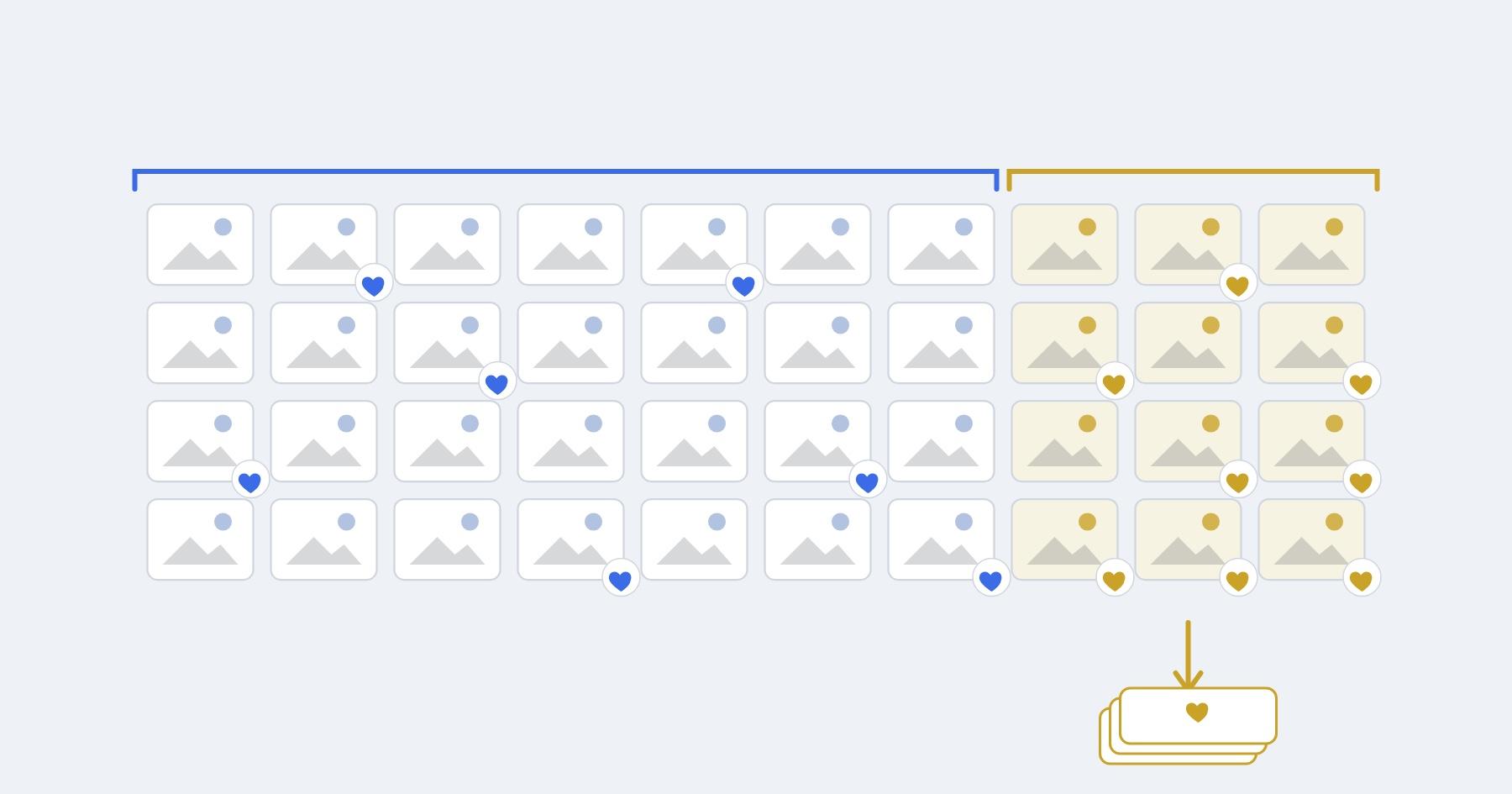
Charge for extra photos in packs, and price a single extra image above your break-even for a whole order, because most of the cost of an add-on sale is the order, not the image. In our example (your time valued at $75 an hour, 6 minutes of retouching per image, 15 minutes to count favorites, send a payment link and deliver), one extra image only breaks even at $27.34 once Stripe's 2.9% + 30¢ is added. A $15 single loses you about $12 of your time. Twenty extras in one order break even at $8.70 each.
Key takeaways
- Each add-on order carries a fixed chunk of work (counting, invoicing, exporting, delivering) that does not shrink when the client buys one image instead of twenty.
- Card fees have a fixed part too: 30¢ per payment in the US, 1.00 zł in Poland, 0.25 € in Spain. On a $15 single that is 4.9% of the sale; on a $300 pack it is 3.0%.
- Packs (+5, +10, +20) fix both problems. A single price exists mainly to make the packs look right, so set it above break-even and let it sit there.
- Decide the price list before the session and show it before the client starts picking favorites. Clients pick more freely when they know the cost.
- A gallery store with checkout saves you the admin minutes, but check the commission: Pixieset's free plan takes 15% of store sales (as of November 18, 2026).
Why does one extra photo cost more than it looks?
One extra photo costs you a full order's admin time, and that time is usually bigger than the retouching. Here is what happens when a client with a 25-image package favorites 26:
- You count the favorites and work out which one is over the limit.
- You write to the client with the price and a payment link.
- You wait, maybe nudge once, and check that the money arrived.
- You find the raw file, retouch it, export it.
- You add it to the gallery and tell the client it is there.
Steps 1, 2, 3 and 5 take about the same time for one image as for twenty. In our example we put them at 15 minutes per order and retouching at 6 minutes per image. These are example inputs, not industry data; time your own next three add-on orders and use those.
The break-even for an order of n extra images is:
(n × retouch cost + admin cost + fixed card fee) ÷ (1 − card fee %)
With $75 an hour, retouching costs $7.50 per image and admin costs $18.75 per order. Stripe in the US charges 2.9% + 30¢ per successful domestic card payment, and the same rate applies to Payment Links, which are covered by Stripe's standard pricing (Stripe US pricing, as of November 18, 2026).
| Extra images in one order | Break-even for the order | Break-even per image |
|---|---|---|
| 1 | $27.34 | $27.34 |
| 3 | $42.79 | $14.26 |
| 5 | $58.24 | $11.65 |
| 10 | $96.86 | $9.69 |
| 20 | $174.10 | $8.70 |
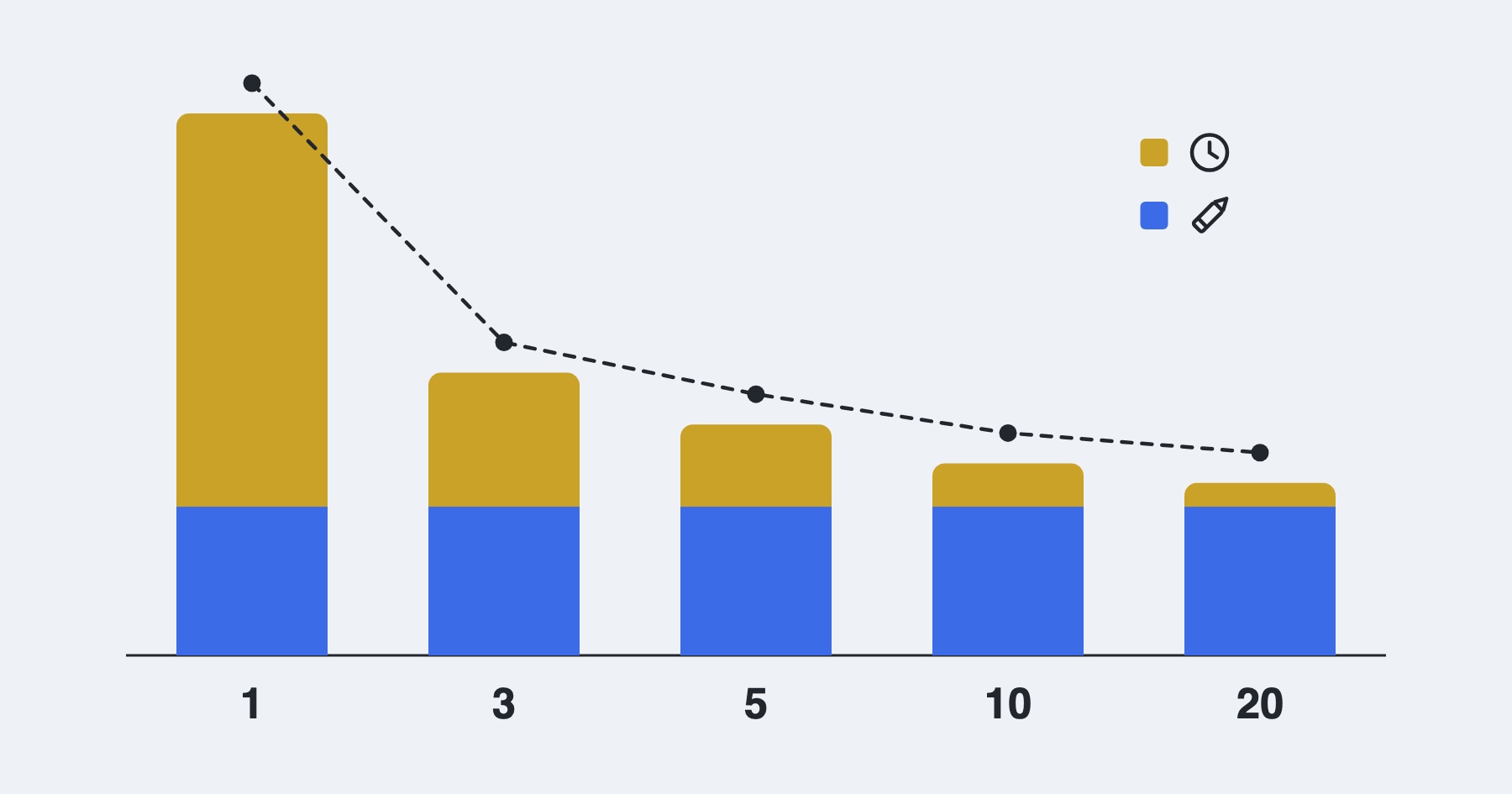
The curve drops fast from 1 to 5 and then flattens. That shape is the whole argument for packs: the first few images in an order carry most of the cost.
Should you price extras per image or in packs?
Use packs, with a single-image price that sits above break-even. Here is a price list built on the numbers above:
| Option | Price | Per image | Left after card fee, retouching and admin |
|---|---|---|---|
| 1 extra image | $35 | $35.00 | $7.44 |
| +5 images | $100 | $20.00 | $40.55 |
| +10 images | $175 | $17.50 | $75.88 |
| +20 images | $300 | $15.00 | $122.25 |
"Left after" means what remains once you have paid yourself $75 an hour for the work and paid Stripe. It is the margin on top of a fair wage, not your take-home pay.
Compare two ways to sell the same client 16 extra favorites:
- $15 per image, no packs: $240 in, $7.26 card fee, $120 retouching, $18.75 admin. $93.99 left.
- The +20 pack at $300: $9.00 card fee, $150 retouching (you edit 20, not 16), $18.75 admin. $122.25 left, and the client gets four more photos than they asked for.
The pack earns $28.26 more on the same order and the client walks away with more. At $15 per image the client who wants just one more photo is the one who costs you: $15 in, $0.74 in fees, $7.50 retouching, $18.75 admin, and you are $11.99 short.
How many images should the package include?
Include roughly the number your clients usually favorite on a good session, minus a small gap, and track it. There is no reliable industry figure for this (we looked for one and found only forum opinions), so your own galleries are the best data you have.
A simple way to get it: for your next ten sessions, write down two numbers per gallery, how many images you delivered as proofs and how many the client favorited. If clients regularly favorite 35 to 45 out of 120 proofs, a 25-image package will sell extras on most sessions and feel stingy on some. A 30-image package with a +10 pack at a fair price will sell extras on fewer sessions but rarely annoy anyone. Which one fits depends on whether your base price is already high; if it is, a generous count protects your reviews.
Should you sell extras through a gallery store or a payment link?
A gallery store with built-in checkout cuts steps 2 and 3 from the list above, which is real time saved. The cost is either a subscription or a commission. On Pixieset's pricing page (as of November 18, 2026), the Free plan charges a 15% commission on store sales, and paid plans, starting with Basic at $8 a month billed annually or $10 monthly, are commission-free. On the $300 pack, 15% is $45.
A payment link is the other route: you send the client a Stripe Payment Link (or an invoice) for the pack, they pay, you deliver. It costs only the card fee, but you do the admin by hand, which is why the 15 minutes per order is in the model at all.
If you sell extras on most sessions, a store's time saving is worth paying for. If you sell a few packs a year, a payment link and a clear price list are cheaper. Our payment fees breakdown runs the commission and processor math across a full year.
What should you tell the client, and when?
Tell the client twice: once in the price list before they book, and again in the gallery welcome note before they start choosing. The second time, give them the numbers right there, so they do not have to ask. Something like:
Your package includes 25 edited photos. Tap the heart on your favorites, up to 25. If you fall in love with more, extra images are $35 each, or $100 for 5, $175 for 10 and $300 for 20. Send me your picks by Friday and I'll have the finished set to you within two weeks.
A deadline keeps the gallery from sitting half-chosen for a month, and a plain price list means no awkward follow-up email when the client hearts 38 photos. If your package pricing itself needs work, the photography pricing guide covers how to build it.
What Ultra does here, and what it does not
Ultra is our product, so weigh this section accordingly. Every plan, including Starter at $9 a month ($79 a year, as of November 20, 2026, on the pricing page), lets you switch favorites and downloads on or off per folder. For proofing, upload your proofs to a password-protected client gallery with favorites on and downloads off. The client taps the heart on the photos they want, and the folder settings show you a "Highlighted Photos" list of everything they picked, with a button to download those files as one zip. The zip keeps the file names you uploaded, so you can match picks to your raw files.
What it does not do: there is no cap on how many favorites a client can pick, no per-image price inside the gallery and no checkout, so the payment for extras happens outside Ultra (a payment link or an invoice) and you count the overage yourself. If you want clients to buy extra images inside the gallery without you sending anything, a store like Pixieset's does that and Ultra does not.